
Nextpart AI: From NSFW AI Chat to AI Porn Video
NSFW AI Chat vs. AI Porn Video: What to Use, and When
NSFW AI chat is the better starting point for an ongoing adult scene. AI porn video is the better tool when you already know the character and want a short moving clip. Chat preserves choices, dialogue, and continuity. Video adds motion, but it also costs more credits, offers less chance to revise, and creates a file you must handle more carefully.
Nextpart AI is built around that sequence. Adults can create or browse AI characters, hold private chats, request voice replies and scene images, and—on plans that include it—generate scene video or short clips. The pricing page is the current source for which plan includes video and how many fast generations are available.
This is an 18+ service. Nextpart’s terms prohibit anyone under 18 from signing up, and they prohibit sexual content involving minors. Nothing in this guide is advice for creating or requesting that material.
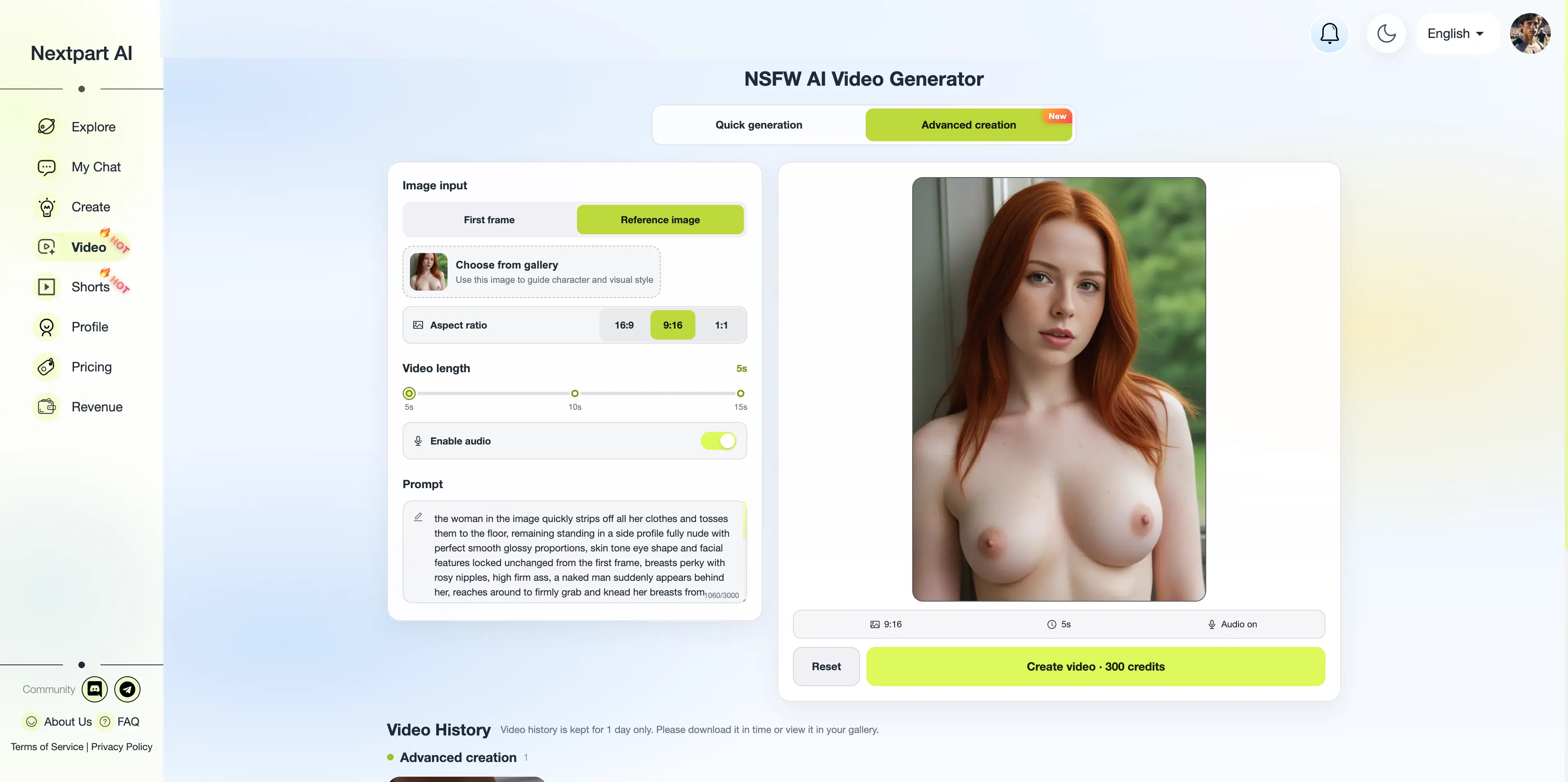
Chat and video solve different problems
An NSFW AI chat is a conversation with a character whose appearance, personality, and story can be defined in advance. You can redirect the scene, regenerate a reply, or add context. A video is a finished visual output. It can make a moment easier to picture, but it cannot negotiate the next line of dialogue.
| Need | Start with chat | Add an image | Use short video | |---|---|---|---| | Explore chemistry or change direction | Yes | Sometimes | No | | Keep a long story consistent | Yes | Helpful reference | Only after the scene is settled | | See a character’s look | Optional | Best first step | Useful once the look is stable |
If you’re only looking for companionship or role-play, generating videos doesn’t offer any quality advantage. If you want visual effects, you can start by generating a static image. For a more immersive way to turn the chat into visuals, a scene video feature is essential.
What Nextpart AI actually offers
Nextpart AI lets adults define characters and chat with characters created by other people. Beyond text, the service supports voice responses and images generated from the chat context. Its navigation also exposes Video and Shorts, while pricing lists scene video generation, fast video generation, and advanced short-video generation.
The practical stack is:
- Choose a public adult character or build an original one.
- Use chat to establish personality, setting, and boundaries.
- Generate a scene image when you need a visual reference.
- Generate a short video only after the image and scene are acceptable.
- The images and videos you generate will be saved in your personal album for you to view and download at any time in the future.
Guest access exists, but it is limited. Registered users can chat more, buy credits, or subscribe to Premium or Deluxe for broader access to character creation, voice, images, and faster responses. The FAQ explains the current free limits, and the image and video features are only available with the Deluxe plan. Check pricing before assuming video is included in every paid tier or that the credit cost is the same for images and clips.
Build the character before you generate anything
Video quality depends more on the character settings and the prompt composed of the content generated by the dialogue. A stable character gives both the chat model and the image generator the same reference points: adult age, body type, hair, clothing, setting, and personality.
Use the character creator rather than trying to invent those details in the middle of a conversation. The character creation guide explains the fields that matter, especially appearance details and the long-term description. Keep the character original. Nextpart’s terms prohibit using another person’s name, likeness, or voice recording without permission, and they specifically prohibit deepfake impersonation.
A useful definition is specific but not bloated. “Adult bartender, late 20s, short black hair, warm lighting, teasing but checks in before escalating” will outperform a pile of unrelated adjectives. If you want dialogue advice before adding visuals, the roleplay guide and the conversation tips cover pacing, open questions, and the asterisk method for scene context.
A safer scene workflow
1. Set the boundary in text
State the tone and any limits in the first exchange. You can ask for flirtation, explicit roleplay, a slow-burn story, or a consensual power-exchange scene. You can also state what the character should not do. Text is the easiest place to correct a misunderstanding because you can undo or redirect the turn.
Nextpart AI does not apply a conventional NSFW filter, but it is not unrestricted. Its FAQ says it does not allow sexual content involving minors, sexual violence, bestiality, cruelty, or abuse. Those are account and legal issues, not prompt-engineering challenges.
2. Confirm that the scene is working
Run several exchanges before spending image or video credits. Look for three things: the character remains an adult, the personality stays consistent, and the scene follows the boundary you set. If it drifts, correct it in chat rather than trying to repair it in a video generator.
3. Generate a still image
An image tests whether the written description matches the visual result. It is also the sensible bridge to video, because the pricing and product language describe turning character or scene imagery into clips rather than promising a separate full video studio.
Save or discard the image before moving on. If the face, clothing, or setting is wrong, another video pass will usually repeat the error.
4. Generate a short clip only for a settled moment
Use video for a narrow action: a look back, a change of pose, or a few seconds of an already-approved scene. Do not expect a short generator to produce a coherent long scene, dialogue, or editing timeline. The pricing page distinguishes scene video, fast generation, and advanced short-video generation; those labels indicate different limits, not a general-purpose editor.
Keep the request aligned with the chat. A clip that suddenly changes the character’s age, body, consent, or identity is a failed generation, not a creative improvement.
Consent and U.S. legal limits
Original adult fiction is the safe creative lane. A real person’s face or voice is not.
U.S. law has moved specifically against nonconsensual intimate imagery, including sexual deepfakes. The TAKE IT DOWN Act, passed by Congress in 2025, addresses publication of nonconsensual intimate images and AI-generated sexual forgeries. States may impose additional criminal or civil liability. The exact duties and penalties depend on what was created, whether it was published, and where the people involved live. This article is not legal advice; for a real dispute, check the current statute or consult a lawyer.
Nextpart’s own terms of service are stricter than “make anything as long as it stays private.” They prohibit:
- Sexual exploitation or abuse of minors.
- Impersonation and use of a person’s name or likeness without permission.
- Submission of someone else’s voice recording without consent.
- Deepfakes used for impersonation, fraud, misinformation, or reputational harm.
- Harassment, threats, and other abusive conduct.
A private generation does not make a real-person sexual deepfake harmless. Do not upload a photo of someone else, do not recreate a coworker or ex, and do not request a celebrity clone. Build an original character instead.
Privacy: private chats are not the same as secret files
The FAQ says chats are separated by account and that other users cannot read your history, even if you publish a character. It also says Nextpart AI does not share user data or generated content with other users or third parties without explicit consent. You can delete individual chat sessions and, in some cases, a character you created.
The terms add an important limit. You retain ownership of a character you create and of generations you elicit, but you grant Nextpart AI a broad license to host, modify, and use that material to operate and promote the service. AI outputs can also be inaccurate or offensive, and the service is provided “as is.”
Treat every download accordingly:
- Use a unique password and sign out on shared devices.
- Do not upload images or voice recordings you do not have rights to use.
- Assume a downloaded video can be copied once it leaves the platform.
- Delete chats and local files you do not need.
- Read the privacy policy before putting sensitive material into any prompt.
“No NSFW filter” describes the permitted adult theme. It does not mean the conversation is anonymous to the operator, immune from legal process, or safe to share publicly.
When video is the wrong choice
Skip AI porn video when:
- You are still deciding on the story. Chat is cheaper to revise.
- The character definition is vague. The clip will drift.
- The request depends on a real person’s identity or an uploaded photo of someone else.
- You need a long, edited, or plot-heavy result. The listed feature is scene and short-video generation, not a production suite.
- Your plan does not include enough fast generations. A daily allowance can disappear on test clips.
Mainstream tools are also a poor substitute when adult content is the actual goal. General-purpose assistants often prohibit it or bury it behind unstable settings. Nextpart’s comparison with Grok’s “Spicy” mode explains that difference, but the product decision here is simpler: use a dedicated adult character chat for the conversation, then use its visual tools only for material that fits its stated rules.
A reasonable first session
For a first paid or credit-based session, limit the scope. Create one original adult character, run a 10-message conversation, generate one scene image, and generate one short clip only if the image matches the character. That sample tells you more about quality than producing five clips from a weak description.
If the text roleplay matters most, stay in chat and use voice. If the story matters most, the adult story-generator guide is a better companion than a video tool. Video should illustrate a scene you have already chosen, not invent the relationship for you.
FAQ
Is NSFW AI chat the same as AI porn video?
No. Chat is interactive and can continue for many turns. Video is a short generated visual based on a character or scene. One can lead to the other, but they are separate features with different costs and risks.
Can I use a real photo to make an AI porn video?
Not when the photo depicts someone else without permission. Nextpart’s terms prohibit nonconsensual likeness and deepfake impersonation. Use an original adult character you created or a character supplied inside the platform.
Are Nextpart AI chats visible to other users?
The FAQ says no. Your chat history is tied to your login. Publishing a character lets others chat with that character, but it does not let them read your history.
Does every account include video?
Do not assume so. The pricing page lists scene video, fast video generation, and advanced short-video options, but availability and daily allowances depend on the plan. Confirm the current plan before generating.